 MICHAEL
 · For the IT review
What leaves this machine.
Police networks block the public servers most software depends on, and most web apps fail silently and open blank. MICHAEL does its analysis on the analyst's computer. Your records are not uploaded or synchronized to any service, there is no MICHAEL server, no account and no cloud copy, and the few features that contact anything do so only when used, on your own accounts, and name what they send. This page is the short version of the data-handling statement, written for the people who have to sign off.
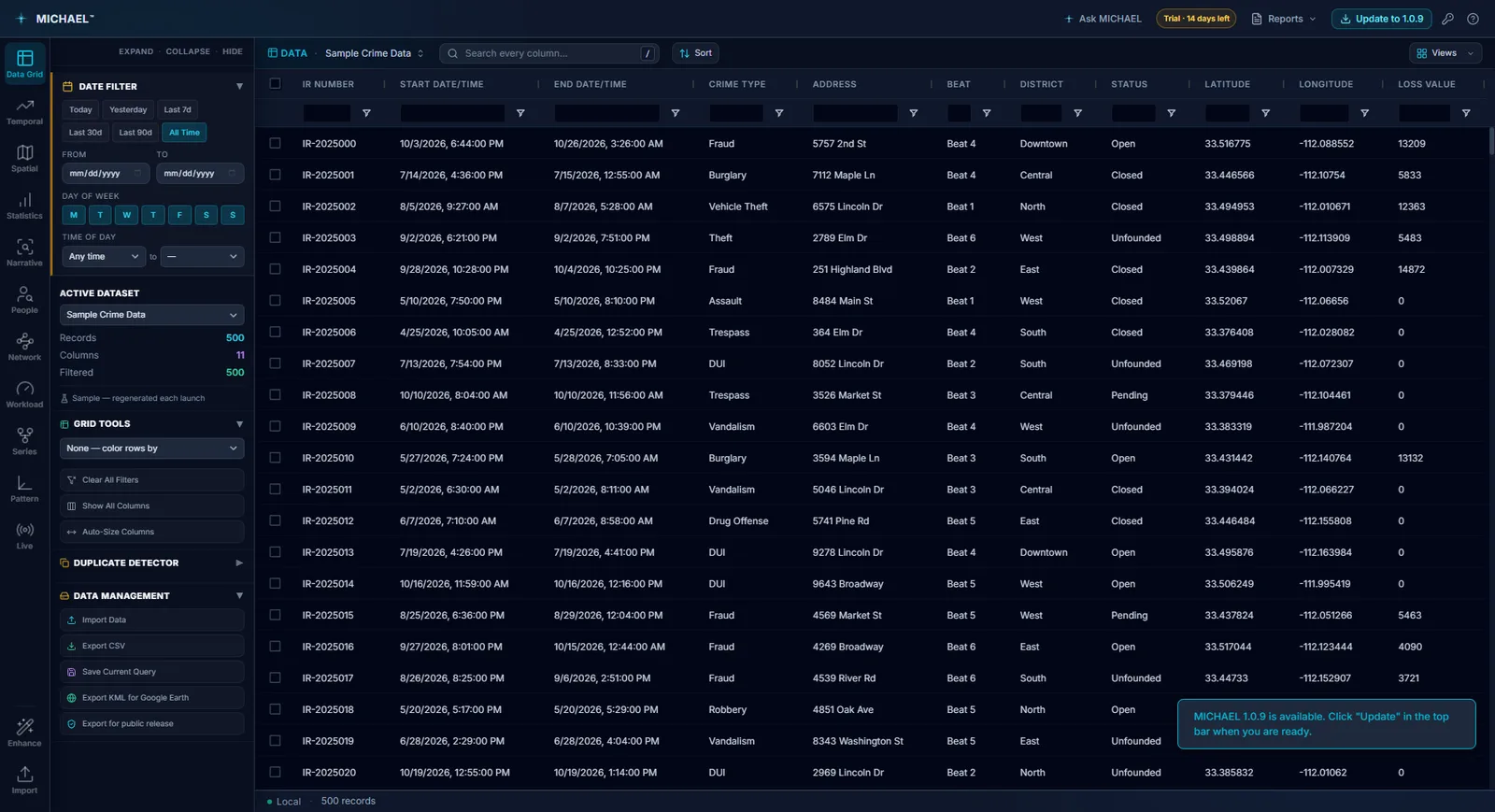
On the workstation your agency already controls and already audits.
Import is local, analysis is local, storage is local. Uninstalling the application and clearing its data removes everything.
- 01Imported records live in the application's own store on that computer. Analyses, filters and layers are computed in memory there.
- 02Keys and passwords are sealed. A data connection key, a database password or a live feed credential is held by the desktop application in its own file, sealed with Windows data protection, bound to the analyst's Windows sign-in, and never shown back on screen.
- 03Exports go where you save them, and nowhere else. A CSV, workbook or Access file holds the grid as shown; a text cell that looks like a formula is written as text, never run. Copy buttons put a chart or a table on this computer's clipboard.
- 04A file you imported changes only when you press Save and confirm, with a copy of the file as it was kept beside it. A database, an ODBC connection, a link or an API is never written to.
- 05A published CompStat dashboard is two files of counts in a folder you chose, holding offense and area names with their numbers and your boundary shapes. Never a record, case number, name, address or narrative.
Every destination, and exactly what it receives.
An automated check before every release confirms that the services MICHAEL may contact match this list. Each one is used only when you use the feature.
- 01Out of the box, it works offline. A world basemap ships inside the install, so the globe draws your incidents with no network connection of any kind.
- 02Map imagery: USGS public-domain imagery for US records, or your own ArcGIS, Cesium Ion or Google key if you choose one. What is sent is tile coordinates, which part of the world the analyst is looking at, and nothing else. No records, no names, no addresses, no dates.
- 03Address search and the geocoder send the address text being looked up to the geocoding service you chose, and nothing else. The Address book answers repeat addresses without any request.
- 04Near this asks OpenStreetMap for one kind of place across a wide area, never the incident's coordinates, time, case number or any record.
- 05The AI analyst, only when you use it and only with a key you supplied: your question, a profile of the columns and five records, to the provider you chose. Its own page lists all of it.
- 06Live feeds, overlay layers and data connections request data from the servers you set up, a credential only to the address it was entered for, and never a record of yours. A database is read, never written.
- 07Two automatic requests, both named here. Once a day the update check reads a short public file naming the newest version, sending nothing about you or your data. And the first time the Live Dashboard opens on a new installation with no feed configured, it loads San Francisco's public demonstration feed once, and never again on that machine. Both can be turned off.
It runs with the cable pulled, and a test proves it before every release.
Every library ships inside the install, fonts included. On a network that blocks public CDNs, a tool that quietly needs one is a tool that quietly does not work.
- 01A build gate on every release. An automated check before every release fails on any request to a host that is not map imagery, and confirms that with the network cut off entirely the application still starts, loads data and draws the globe.
- 02A fixed list of hosts it may contact, enforced below our own code, so a bug, or a malicious value inside an imported file, cannot send your records somewhere else even if it manages to run. There is nowhere else to send them to.
- 03The list cannot be extended at run time, by us or by anything else. If it cannot reach your own ArcGIS Enterprise server it says so plainly, rather than implying your network is at fault.
- 04The installer ships clean. The map works out of the box because the default imagery needs no key, not because one is buried in the build. Every key MICHAEL uses is one you entered.
Updates when the analyst says so. A check-in IT can switch off.
Both reach one address, download.bairsystems.ai, which is the one domain to allow. Each has its own switch, deployable by policy.
- 01The update check asks, and only asks. Once a day it reads the newest version number. Nothing downloads until an analyst presses Download, and the installer must match its published checksum and carry BAIR Systems' code signature before it runs. Anything else is deleted and not run. An older version is never offered.
- 02Installs on the analyst's word. Restart and update now, or Later for the next time MICHAEL closes. Datasets, settings, keys and the license live in the analyst's profile, not the program folder, so they are kept.
- 03The daily check-in, from 1.0.17: the trial code or license ID the installation runs under, never the key itself; the version; a random installation identifier made on first run; a one-way hash of the machine identifier; and the general hardware. Never your records, your name, the Windows user name or the computer's name. A paid license is never blocked by anything this report finds.
- 04Two switches, deployable by Group Policy. One turns the updater off, automatic and manual checks alike; the other turns the check-in off. Neither affects the other. An agency that cannot allow even the one-time trial-code check asks BAIR Systems for a license file, which needs no network at all.
Written for the CJIS conversation, in plain terms.
The data-handling statement ends with the limits in its own words, and this page keeps them.
- 01MICHAEL has not been assessed against CJIS Security Policy. It stores data locally on the workstation it runs on, the same place your other analytical files live, and it is your agency's responsibility to determine whether that meets your obligations.
- 02It is an analytical tool for directing attention. Its outputs are estimates computed from the data you supplied, carrying that data's errors and gaps. They exist to direct a trained analyst's attention, and nothing in them should be acted on against any individual without independent verification.
- 03The one feature that transmits records is the AI analyst, on your own key, and it names what it sends before it sends it. With no key entered, it sends nothing.
- 04Every claim here is one we stand behind. The full data-handling statement, with the table of every destination, is available from SWORN.ai on request.
Try it on your own data.
Fourteen days, every feature, on one machine. Tell us who you are and we will email you your own download link. Nothing to activate. Your data stays on your machine and stays yours when the trial ends. No newsletter, no drip sequence.
Built for the people who do the work Sworn agencies, crime analysis units, public safety partners, and corporate investigation teams. Workstations are $2,500 a year, everything included. Academia and nonprofits: ask about license pricing.
Or email info@sworn.ai. A person answers.